How AI Helps Resolve Cross-Functional Conflict
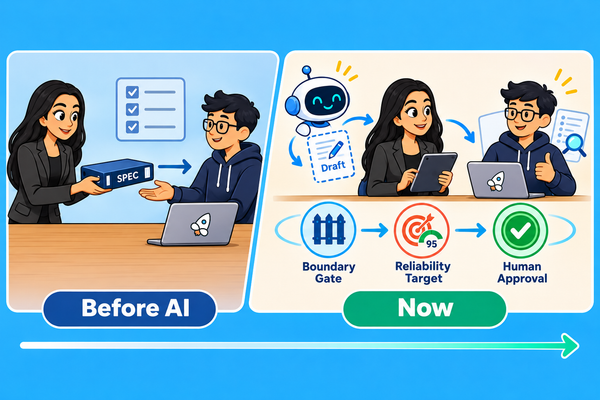
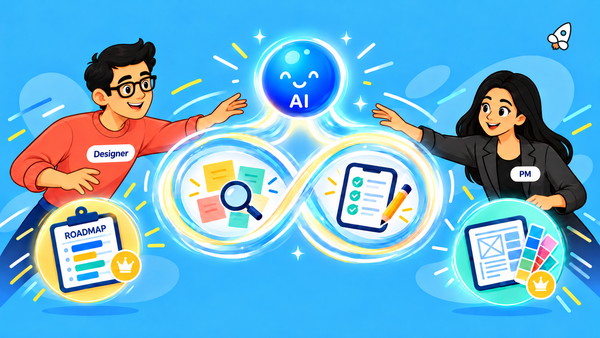
AI can organize evidence and draft next steps in cross-functional disputes. People still need to verify sources and assign named owners.

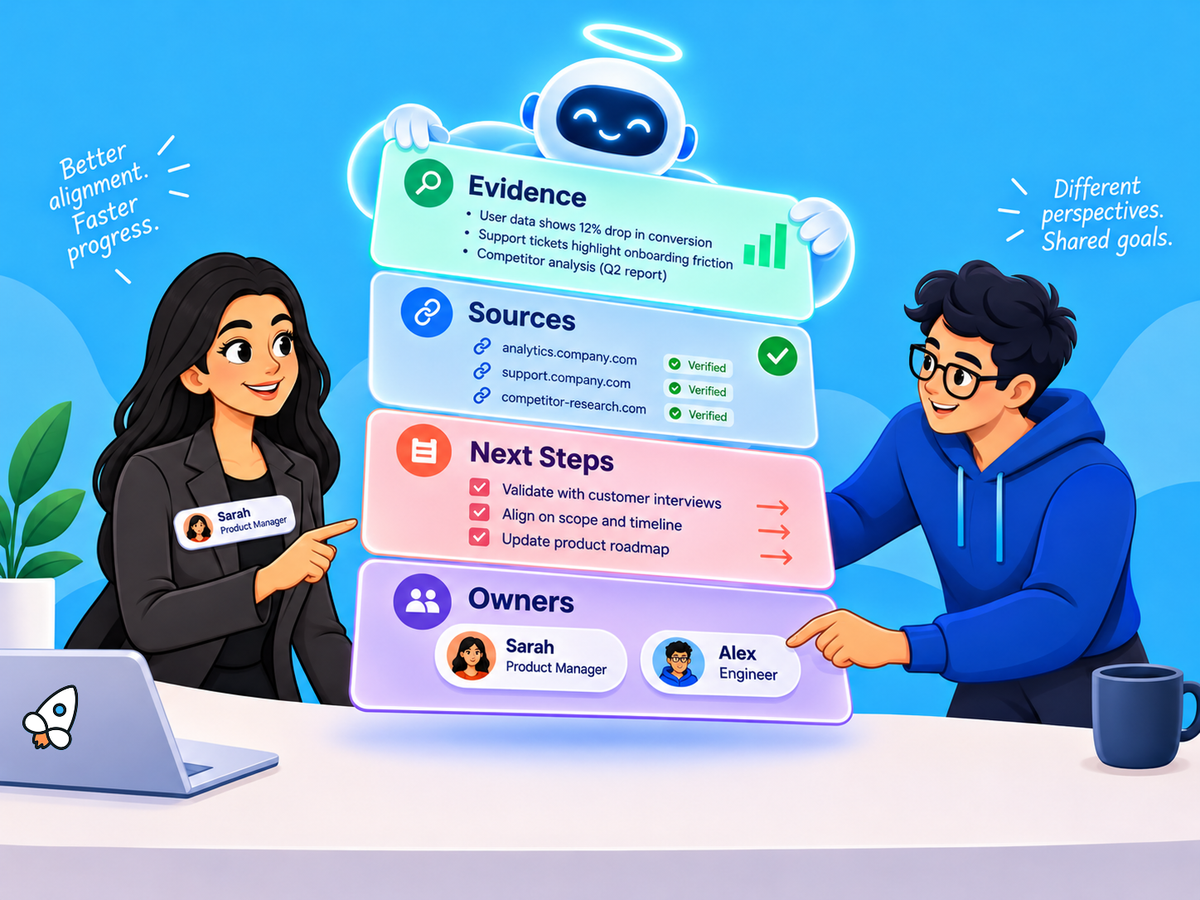
Every PM has been there. Engineering says the launch date is unrealistic, design wants another round of research, and sales has already promised the feature to a customer. Everyone remembers the last meeting differently, and the notes are scattered across Slack threads, tickets, and three different docs.
AI tools can now pull all of that together in minutes. They can group concerns, flag conflicting dependencies, and draft a recap. That’s useful, and it’s also risky. A summary that drops one team’s objection, or names the wrong owner, can make a disagreement worse.
This guide shows how to use AI to sort out the record in a cross-functional dispute while keeping people in charge of the decision. You’ll see how manual and AI-assisted reviews compare, how to track issues and owners, how to draft next steps for approval, and where AI shouldn’t be used at all.
The short version
Use AI to organize the evidence, and leave the dispute itself to people. Before using any AI draft, check the source links and ask people to confirm decisions, owners, and dates. Four checks keep things on track:
- Evidence: Compare AI summaries with a manual review, and keep objections and unanswered questions visible.
- Ownership: Confirm who does the work and who has the authority to decide.
- Trust: Use approved records, limit access, and let participants correct mistakes.
- Results: Test on 50–100 real cases. Measure total review time, rework, missed objections, and decision time.
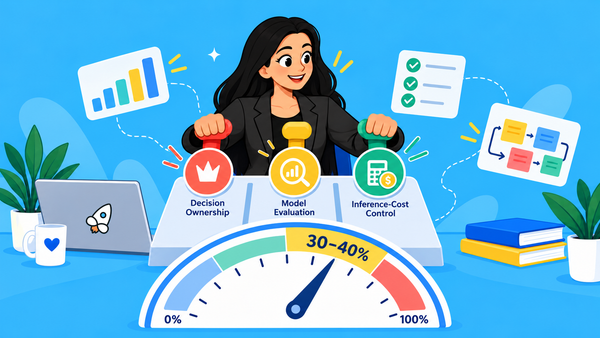
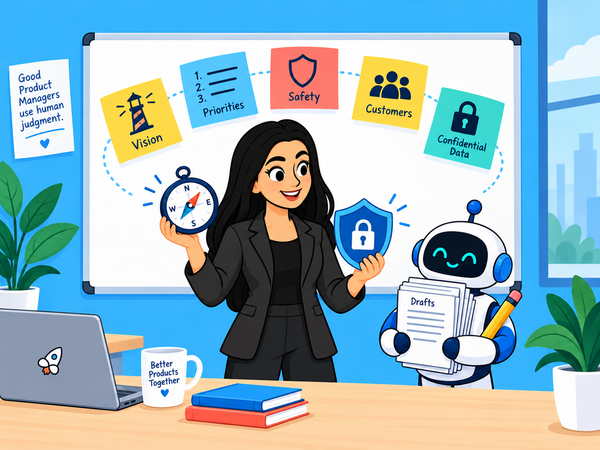
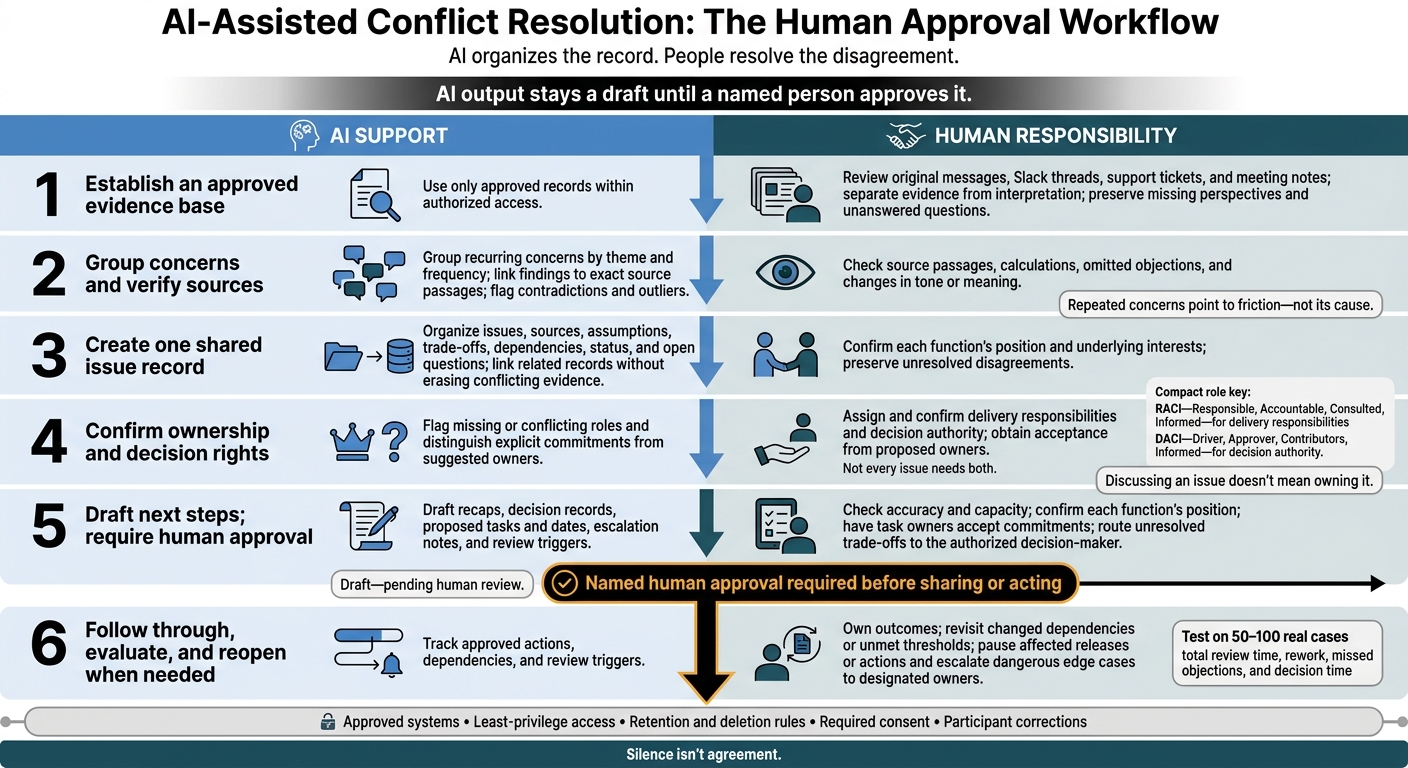
The rule that ties it together: AI output stays a draft until a named person approves it. AI can help prepare the conversation. People still have to resolve the disagreement and follow through.
Video: Using AI to Resolve Workplace Conflict as a Manager
1. Start with a manual review
Before bringing in AI, know what a good manual review looks like. It sets the bar AI has to meet.
Check the quality of the evidence
Go back to the original messages, Slack threads, support tickets, and meeting notes. Separate what people observed from how they interpreted it, and keep untested explanations apart from observed behavior. Flag missing perspectives, including users who were blocked by accessibility or connectivity barriers. [1][2][8]
Check the math, too. If one team’s revenue estimate is monthly and another’s is annual, the totals won’t line up. A good review looks at how a conclusion was reached as well as whether it sounds reasonable. [1][2]
Make ownership clear
Label each item by type, and record what’s needed to act on it:
- Decision: the reasoning, the options you rejected, and who approved it.
- Assumption: how you’ll test it.
- Risk: who owns it.
- Question: who owns it and the next step to answer it.
- Action: the task, the owner, and how you’ll know it’s done.
Write down what’s out of scope as well. [1][2]
Confirm agreement and follow through
Ask the decision-maker to approve the notes before anyone treats them as final. Before you announce dates, check commitments against calendars, security review checklists, and engineering capacity.
For sensitive disagreements, start with private 1:1s, and think about power dynamics before bringing everyone into the same room. [1]
Finally, save a set of 50 to 100 real cases. You’ll use it to compare manual review against AI output. [1]
2. Add AI to speed up the review
AI can group evidence and draft a first pass much faster than a person can. Someone still needs to verify the record.
Group the evidence and link every finding to its source
Have AI group approved transcripts, tickets, updates, and decision logs by recurring concern and how often each one comes up. Every finding should link to the exact passage it came from. Ask the model to flag contradictory feedback and outliers, too.
Keep in mind that a concern showing up often tells you where the friction is. Finding its cause still takes a conversation.
Ask AI to separate explicit commitments from suggested owners. Note who raised each issue and who owns the fix, then check every attribution against its source.
Talking about an issue in a meeting is different from owning it. Anyone the AI suggests as an owner needs to confirm they’ve taken it on.
Keep a person in charge of the follow-up
Label the summary “Draft, pending human review.” Then check it for missing objections, wrong attributions, and shifts in tone. If hesitation or tone could change the meaning, go back to the audio or video.
A named person should approve the summary before it’s shared. Silence doesn’t count as agreement. Move anything unresolved into a shared issue log with an owner and a due date.
3. Track open issues and decision owners
Once open items are in a log, AI can help keep that record current across teams. It can sort updates by issue, owner, dependency, and decision status, and flag friction over scope, timelines, dependencies, and ownership. People still make the decisions. [2][5]
The goal is one live view of where every issue stands, with as little extra paperwork as possible. Here’s how tracking works with and without AI:
Tracking need | Manual handling | AI-supported handling | Human check |
|---|---|---|---|
Themes | Use judgment to group related concerns. | Group concerns by theme and frequency. [3] | Review unclear interpretations and concerns that were merged incorrectly. [2][6] |
Evidence | Keep links in notes or spreadsheets. | Confirm the sources support each claim. [2] | |
Ownership | Owners stay unclear or get inferred from job titles. | Flag open questions or validation steps with no named owner. [1][2] | Confirm assignments, decision rights, and approval authority. [1] |
Dependencies | Resolve blockers through cross-team check-ins. | Confirm dependencies and how they affect scope or timing. [2] | |
Decisions | Decision history goes undocumented or gets buried in email threads. | Keep linked decision logs with sources, model version, recommendation, risk, approver, and owner. [2][4] | Verify the reasoning and confirm who owns the final outcome. [2] |
Create a shared issue record
Give each dispute one shared record. Include the issue, each team’s position and the interests behind it, sources, assumptions, trade-offs, the owner, dependencies, status, and open questions with named owners. Track launch timing separately from reliability, usability, and commercial readiness. [1][2]
Ask AI to link related records so separate disagreements don’t get folded into one theme. Keep conflicting evidence, unanswered questions, and the decision history intact. [2]
Assign roles with RACI and DACI
Next, get clear on who does the work and who makes the call. Two frameworks help:
- RACI (Responsible, Accountable, Consulted, Informed) covers who delivers the work.
- DACI (Driver, Approver, Contributors, Informed) covers who has decision authority.
Not every issue needs both. [1][2]
People should confirm assignments and approval authority themselves. AI shouldn’t guess decision rights from job titles or from who talked the most in a meeting. Also keep approval (a gate before launch) separate from accountability for results after launch. AI can flag empty or conflicting roles, but people assign and accept them. [1][2]
4. Draft next steps for human approval
With the issue log up to date, AI can draft a follow-up package so nobody has to piece the discussion together from memory. The draft supports the conversation, and people approve the handoff. [1][2][4][5]
Here’s how the work splits between AI and people at each step: [1][2][3]
Deliverable | Manual workflow | AI-supported workflow | Human approver |
|---|---|---|---|
Follow-up and decision record | Reconstruct the discussion, write the recap, and document the reasoning. | Draft the recap and decision record from approved notes. | PM checks accuracy; the named owner approves. |
Owners and due dates | Check capacity and enter approved tasks by hand. | Draft an action list, labeling unconfirmed owners and dates as proposed. | PM confirms capacity; each task owner accepts the commitment. |
Escalation | Document the blocker and the decision needed. | Draft an escalation note from documented risks and existing decision authority. | PM and the designated owner review before sending. |
Review triggers | Schedule check-ins and revisit conditions. | Flag threshold changes or dependency shifts for human review. | A named reviewer confirms whether action is needed. |
Draft recaps, questions, and tasks
Ask AI to sort the discussion into agreed points, disagreements, assumptions, options, and proposed tasks. Have it list the evidence needed for each check and the trade-offs of each option. The team makes the final readiness call, and AI shouldn’t add findings of its own. [1][2]
Neutral wording can ease tension, but it shouldn’t erase objections. Ask participants to confirm the recap reflects their concerns and still shows any open disagreements. Read the raw comments behind unusual or contradictory feedback too, because AI can blur the exact concern that needs discussing. People still need to listen, and to address hesitation, power dynamics, and damaged trust. [1][2][4]
Know when to confirm, escalate, or reopen a decision
Before sharing next steps, the PM should confirm each team’s position with its representative and bring the discussion back to shared customer and business goals. Talk through sensitive disagreements live, then take unresolved trade-offs to whoever has the authority to decide. Base the forum and escalation path on established decision rights. AI’s read on who seems difficult or persuasive shouldn’t factor in. [1][2]
When approving, account for the risks raised by people who disagree. Set clear conditions for reopening the decision, such as:
- Performance thresholds that aren’t met
- Dependencies that change
- Unresolved safety, privacy, security, legal, or accessibility concerns
Name a reviewer for each condition. If a dangerous edge case shows up, pause the affected release or action and escalate to the designated owners. [1][2][3]
5. Weigh the benefits and risks
Speed alone won’t resolve a conflict. Manual review is better at keeping nuance. AI is better at pulling records together, and it can miss context. [9][10] Here’s how the two compare:
Dimension | Manual handling | AI-supported handling |
|---|---|---|
Speed | Allows careful review, but combining records takes time. | Speeds up drafting, but checking and correcting adds work. |
Visibility | Keeps context close to participants, but notes may stay scattered. | Brings approved records together, but missing sources can paint a misleading picture. |
Evidence quality | Can preserve nuance, but bias and selective memory leave gaps. | Can link claims to searchable excerpts, but may drop minority objections and state errors with false confidence. |
Ownership | Direct conversation helps confirm decisions and commitments, but follow-through may go undocumented. | Separates decisions from questions and flags missing owners, but may mistake discussion for agreement or assign the wrong owner. |
Psychological safety | Unrecorded conversations can encourage candor, but hierarchy still affects who speaks up. | Shared records can improve transparency, but recording may lead people to hold back. |
Privacy | Fewer notes mean less data collected, but informal sharing still creates exposure. | Controlled access can support oversight, but processing increases what’s stored and what others can infer from it. |
These gains only hold if records stay secure and participants are treated fairly.
Protect confidential data and team trust
Use approved systems with encryption, least-privilege access, retention limits, deletion rules, and audit logs. Redact customer identifiers, and keep personnel records separate from product documentation. Vendors shouldn’t train on confidential content unless you’ve explicitly allowed it.
Tell people when a conversation is being recorded or processed by AI, get any required consent, and offer a way to take part without being recorded. Skip recording altogether for disciplinary matters, protected complaints, confidential legal advice, highly sensitive customer information, or any conversation where recording would make people less candid. [9][12]
The same tool that speeds up consensus can also expose sensitive disagreements. That’s why the rules for using it belong in your conflict management process as well as your IT policy.
Make sure every voice gets heard
Hierarchy, fluency, accents, and speaking style can all skew whose views look strongest in a summary. Spotting that is one of the new skills product managers need. Invite written input, and check that summaries keep the concerns of quieter participants. Staying quiet doesn’t mean someone agrees, and talking the most doesn’t mean someone has committed.
Treat AI outputs as drafts. They shouldn’t turn into surveillance reports or performance scores. Let participants correct summaries, keep a history of corrections, and give people a way to escalate a summary they disagree with. People make the final calls on discipline, performance, employment, and product direction. [9][11]
Avoid using meeting frequency, speaking time, sentiment, message volume, or inferred alignment as stand-alone performance measures. Workplace surveillance can affect autonomy, mental health, and pay. [13]
Pilot new uses before rolling them out
Get these controls in place before testing new uses. As of November 9, 2026, ideas like unresolved-decision alerts, shared decision maps, preparation briefs, and checks for stale actions or missing decision rights are best treated as pilots. They aren’t proven capabilities yet. [9][10]
A simple pilot plan covers four things:
- Scope: Start with low-sensitivity records from the team’s own work before using live personnel or customer discussions.
- Validation: Check source links, whether permissions carry over correctly, and whether participants can correct errors without the record being silently erased.
- Metrics: Track missed objections and any case where the tool reports a decision that wasn’t made. Compare prep time (including review and rework), owner coverage for actions, usability, and how accurate and fair participants say the process felt.
- Stop conditions: End the pilot if it exposes restricted information, makes people censor themselves, or creates more correction work than it saves.
Wrapping up: let AI prepare, keep people accountable
AI can organize evidence, flag issues, and track follow-up in cross-functional disputes. People stay accountable for reading nuance, handling sensitive disagreements, and protecting trust. [1][2]
In practice, that means using AI only with approved records to draft questions and next steps. Before accepting a recommendation, check the source evidence and reasoning, and record the decision owner, risks, and any overrides in the linked decision log. [2]
It’s also a reminder of why the judgment side of product management matters more as AI takes on the busywork. For more on that, see Will Product Managers Be Replaced by AI?
Questions to ask before your next cross-functional review
- Which records is AI allowed to read?
- Who approves the summary before it’s shared?
- Does every open issue have a named owner and a due date?
- What would make you reopen this decision?
FAQs
How can you tell if AI is reducing team conflict?
Look at whether the team gets aligned and makes decisions faster. Disagreements should move away from personal opinions and internal politics toward consistent discussions grounded in data on customer impact and effort.
Measure what the team learns and changes before committing engineering time. The number of documents produced matters much less. Good signs include more concepts tested, shorter decision cycles, and sharper focus on trade-offs.
What if teammates dispute an AI summary?
Treat the summary as a draft. AI can miss nuance, reflect bias, or misread team dynamics, so check the facts against the original evidence, such as meeting transcripts or source messages.
Keep AI out of mediating or assigning blame. Lead a person-to-person discussion grounded in the evidence, and keep a named person accountable for the final decision and its outcome.
When should you avoid AI in team disagreements?
Skip AI when trust has been damaged or relationships are complicated. In those cases, it may treat the dispute as a simple question of who owns what and overlook the context, power dynamics, and emotions that careful listening would bring out.
Don’t rely on AI to mediate, assign blame, or decide whom to believe. Keep a person in charge of facilitation, check facts against the original messages, and handle sensitive conversations in person to protect accountability and safety.
Sources
- Product Managers Shouldn’t Use AI for These 10 Things (Product Management Society)
- How AI Changed the Product Manager and Product Designer Dynamic in 2026 (Product Management Society)
- Ultimate Guide to AI in Goal Balancing for Roadmaps (Product Management Society)
- Future of Product Management Beyond 2026 (Product Management Society)
- Tools High-Performing Product Managers Use in 2026 (Product Management Society)
- Shaping the Future of AI in Product Management: Insights from the Productized Conference 2024 Workshop (Product Management Society)
- 10 Best AI Tools for Product Managers in 2026 (Oryndex)
- 10 Best AI Tools for Product Managers for 2026 (Wezebo)
- Artificial Intelligence Risk Management Framework (AI RMF 1.0) (NIST)
- AI Risks and Trustworthiness (NIST AI Resource Center)
- Artificial Intelligence Risk Management Framework: Generative Artificial Intelligence Profile (NIST)
- Balancing Knowledge and Governance: Foundations for Effective Risk Management of Artificial Intelligence (NIST)
- Remarks on Worker Surveillance and AI at the Harvard Journal of Law & Technology (Federal Trade Commission)
If you’re finding this blog valuable, consider sharing it with friends, or subscribing if you aren’t already. Also, consider coming to one of our Meetups and following us on LinkedIn ✨ And check out our official website.
Connect with the founder on LinkedIn. 🚀
About the Product Management Society
The Product Management Society is an international community for product managers, founders, designers, and career-switchers, with 2,400+ members across active chapters in Lisbon, Berlin, Frankfurt, and Mexico City. The community runs more than 50 in-person meetups per year, a Slack network, an invite-only WhatsApp group, a blog, and a growing suite of free tools for product leaders. More information is available at www.productmanagementsociety.com.
About Gabriela Naumnik
Gabriela Naumnik is an AI product leader and the founder of the Product Management Society. A Staff Product Manager working at the intersection of AI and enterprise product, she focuses on AI-powered platforms serving Fortune 500 companies. She is a regular speaker at product conferences, publishes on product management at the Product Management Society's blog, and has built the PM Society into one of the most influential product communities in Europe and Latin America. She holds a B.S. from NYU/NYU Shanghai and an M.S. from Columbia University. More information is available at gabriela-naumnik.com.