How to Avoid Burnout as a Product Manager in 2026
Spot early signs, cap active work, use AI for repeat tasks, and cut meetings to protect focus and PM judgment.

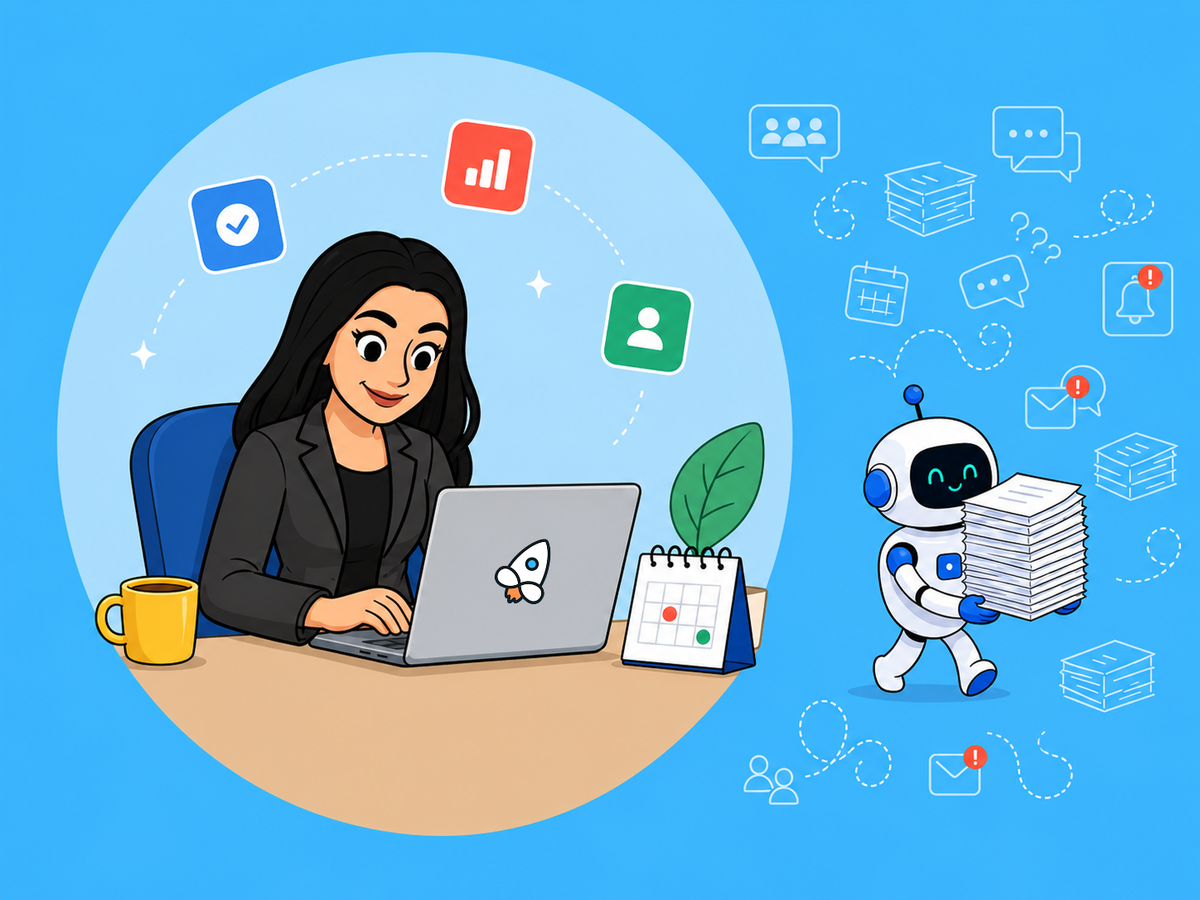
Half of product managers report burnout in 2026. If I want to avoid it, I need to do four things fast: spot the early signs, cut active work, use AI for repeat tasks only, and reduce meeting noise.
Here’s the short version:
- Catch burnout early: look for slower decisions, irritability, avoidance, and more hours with less output
- Set work limits: use one priority system, one roadmap source, and clear response rules
- Use AI with care: let it draft notes, PRDs, summaries, and reports - but keep human judgment for trade-offs and final calls
- Protect attention: block daily focus time, add a weekly no-meeting block, and move status updates to async
A few numbers stand out:
- 50% of PMs report burnout
- AI can cut some repeat feedback work by 80%
- 74% of senior PMs now use AI every week
If I had to boil the whole article down to one line, it would be this: burnout drops when I reduce noise, limit review work, and protect time for high-stakes decisions.
That’s what the rest of this guide helps me do.
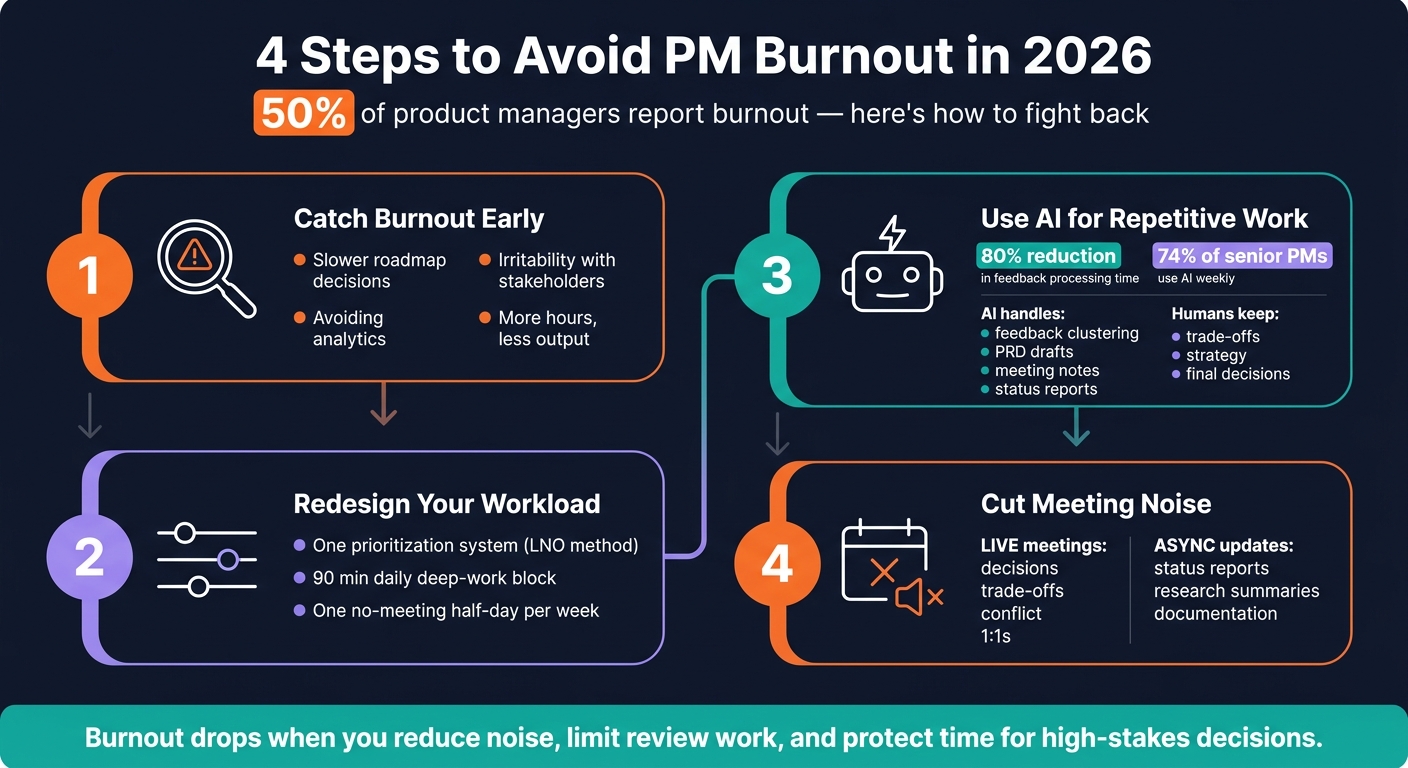
Preventing PM Burnout: Identifying Organizational Triggers and Solutions
Step 1: Catch Burnout Early Before It Hurts Your Performance
Catch burnout before it starts messing with your judgment, your relationships, and the quality of your work.
Watch for decision fatigue, irritability, and avoidance
Pay attention to shifts in how you work, not just how you feel.
Burnout Category | Early Observable Sign |
|---|---|
Prioritization | Slower roadmap decisions; short-term thinking |
Communication | Snapping at stakeholders; defensiveness in Slack or during reviews |
Decision-Making | Avoiding analytics or outsourcing too much thinking to AI |
Follow-Through | Delaying PRDs; logging more hours but finishing less |
One 2026 risk stands out: the illusion of completion. AI can make a task feel done when it only looks done.
Run a weekly self-check using your calendar and task load
Do a quick Friday review using your calendar and task list. Look at your total meeting hours for the week. Check how many active initiatives you're carrying at once. See whether your deep-work blocks stayed protected or got swallowed by reactive work.
Also scan for after-hours messages you sent or answered. Staying up late to claw back personal time is a strong early sign that your workload has become too noisy.
Track this week by week. If stress keeps climbing, the answer isn't more willpower. It's changing the way the work is set up.
Step 2: Redesign Your Workload and Set Clear Boundaries
Once burnout shows up, the next move is to fix the way work is set up. In 2026, that’s harder to brush off. AI reviews, faster release cycles, and nonstop Slack traffic can turn a normal week into a grind.
Cap active work with one prioritization system and one source of truth
One of the fastest ways to cut mental overload is simple: stop making the same call twice. Pick one prioritization system and stick with it. The LNO method is one option. In LNO, Leverage tasks get your full attention, Neutral tasks get solid but efficient effort, and Overhead tasks get finished as fast as possible without guilt.
The same idea applies to your roadmap. If it lives in too many places, work gets copied, handed off by hand, and repeated for no good reason. Fewer tools mean fewer handoffs and less duplicate work. Keep one roadmap source of truth, and tie it to customer evidence so the trade-offs stay out in the open.
Once the workload is trimmed down, the next job is to protect the time and attention needed to do it well.
Set response-time rules, focus blocks, and no-meeting windows
Boundaries don’t work when they’re vague. They work when people can point to them.
Being available is not the same as being always on. Set clear response windows and share them with the team. That way, people know when to expect a reply instead of guessing all day.
Protect at least 90 minutes of uninterrupted focus each day, and block one no-meeting half-day every week. If your team is distributed, define urgency in writing. Otherwise, every Slack ping starts to feel like a five-alarm fire.
"I do not expect responses on Slack after 6 PM. Please disconnect and recharge." - Karsten Schwarzkopf, The Sovereign PM
When leaders follow the same rules they ask others to follow, deep work gets easier to protect. More importantly, people don’t feel awkward or guilty for logging off.
Clarify who owns which decisions so the PM is not the default for everything
The last pressure point is decision ownership. In a fast-moving org, fuzzy ownership turns every escalation into PM work.
A big source of PM fatigue is becoming the default answer for things that should sit somewhere else. Discovery, data pulls, documentation, and follow-up don’t all need to land with the PM. Those tasks can be shared across design, engineering, ops, and analysts when responsibilities are spelled out.
For each recurring drain, make a plain call: delete it, delegate it, or automate it. In PRDs, state what the PM will not own so the role doesn’t keep expanding by accident.
Clear ownership takes a surprising amount of weight off the job. When everyone knows who decides what, fewer tasks slide onto your plate by default.
Step 3: Use AI to Cut Repetitive PM Work, Not Add More to Review
Once you've trimmed your workload and set some guardrails, the next move is AI - but only for the stuff that burns time without needing your judgment. Use it for repetitive PM work: clustering feedback, transcribing interviews, drafting PRDs, generating release notes, summarizing sprint reviews, and drafting status updates.
The best place to start is simple: pick the work that shows up every week and keeps pulling you away from strategy.
Automate research synthesis, documentation, meeting notes, and reporting
AI-powered feedback triage can cut processing time from 3–4 hours to under one hour - an 80% reduction. That's a big win, but there's a catch: AI output should be treated as a draft, not a decision.
As one PM put it:
"The PRD-to-Jira copy-paste is pure tax."
That's exactly the kind of tax AI should take off your plate.
Use it to get the first pass done on research synthesis, docs, meeting notes, and reporting. Then step in where human judgment still matters most.
Start with a one-week time audit before adopting AI tools
Before you add another tool, spend one week tracking where your time goes. Not where you think it goes - where it actually goes.
Look for manual coordination work like:
- Copy-pasting
- Reformatting notes
- Chasing updates
- Rebuilding the same report from scratch
Those are usually the best places to automate first.
Also watch for attention fragmentation and after-hours spillover. If small admin tasks keep bleeding into your evening, that's a sign repetitive overhead is eating time that should stay protected.
Once you spot one clear drain, apply AI there first. Don't try to move everything at once. A narrow rollout is easier to judge, and it's less likely to create a new pile of review work. Check your company's rules for external AI tools, and manually verify outlier comments since models often smooth over contradictions.
Table: PM tasks that should stay human vs. tasks AI can draft first
Task | AI Draft First | Stay Human |
|---|---|---|
Roadmap & strategy | Scenario modeling, RICE scoring drafts | Final trade-offs, vision, stakeholder alignment |
Documentation | Drafting PRDs, user stories, acceptance criteria, release notes | Defining success metrics, setting strategic constraints, final approval |
Research | Clustering feedback, transcribing interviews, theme extraction | Reading outlier comments, identifying weak signals, final problem framing |
Reporting | Status updates, metric charts, summarizing sprint reviews | Explaining the "why" behind shifts, executive framing |
Communication | Drafting Slack updates, email polishing | Negotiation and crisis messaging |
Meetings | Capturing action items, summarizing transcripts, generating agendas | Facilitating conflict and alignment |
Execution | Triage, bug routing, dependency mapping | Roadmap trade-offs, ethical guardrails, high-risk calls |
AI fluency in product roles grew by about 7x between 2024 and 2026, and 74% of senior PMs use AI every week as of 2026. The PMs getting the most from it aren't using it for everything. They're using it to protect the time and attention that strategy and customer understanding still need. That reclaimed time only helps if you block it on your calendar and cut low-value meetings.
Step 4: Cut Meetings and Build Daily Habits That Protect Your Energy
Once AI takes care of the repetitive work, the next job is to guard your live attention. That usually means fewer meetings, clearer rules for how people communicate, and daily habits that stop your energy from leaking out little by little.
When repetitive tasks and boundaries are in better shape, meetings often become the next big drain. So that’s the next place to tighten things up.
Replace low-value meetings with async updates
Join live meetings only for decisions, trade-offs, or conflict. Status updates and research summaries don’t need time on your calendar. They need a clear async update.
Review your recurring meetings every month. Keep the ones that lead to a decision. Cut the ones that don’t. And when a live meeting does matter, leave a 5-minute buffer before major meetings so you can reset and get clear on the outcome.
Use live meetings for trade-off calls, real disagreement, and 1:1s that need honest conversation. Move collaborative meetings, mentoring, and brainstorming into lower-energy afternoon blocks. Default everything else to async.
Batch your Slack checks. Take a real lunch break. End the day with a shutdown ritual.
Table: live meetings vs. async product communication
Use this split to decide what stays live and what moves async.
Live Meetings | Async Updates | |
|---|---|---|
Decision quality | Medium - prone to groupthink or loudest-voice bias | High - allows for data review and reflection before responding |
Documentation | Low - requires manual notes | High - built-in audit trail |
Interruption cost | High - context switching | Low - read and respond when ready |
Stakeholder alignment | High - nuance and tone | Medium - requires clear writing |
Conclusion: A PM Operating System That Holds Up in 2026
Catch early warning signs before they pile up. Cap your active work with one prioritization system. Set response-time rules and protect your focus blocks. Cut meetings that only pass along information. Use AI to remove repetitive tasks from your plate.
This doesn’t mean working less. It means working on the right things, in the right format, at the right time.
"Resilience is not the absence of stress; it is the speed of your recovery from it." - Karsten Schwarzkopf, The Sovereign PM
The PMs who hold up in 2026 won’t be the ones who stay available 24/7. They’ll be the ones who cut meeting noise, built solid habits, and kept their judgment sharp for the calls that actually matter.
FAQs
How do I know if I’m burned out or just busy?
Being busy is usually temporary. Burnout is different. It’s long-term stress that drains your energy and starts to hurt how you work, even after you’ve had time to rest.
Look for a pattern in what you’re feeling and doing. The signs can show up in a few ways:
- Physical: exhaustion
- Emotional: cynicism
- Cognitive: trouble concentrating
- Behavioral: dreading work or putting in longer hours while getting less done
If it feels like you’re just getting through the day instead of doing well, burnout may be the reason.
Which PM tasks should I automate first with AI?
Start with the mechanical work that eats up time but doesn’t build judgment - especially the task that slows you down most.
- Documentation: PRD drafts, user stories, strategy memos
- Feedback synthesis: support tickets, interview transcripts, surveys
- Meeting intelligence: summaries, action items, timelines
Use AI as an extension of your thinking. Then review every output for accuracy and fit with your strategy.
How can I set boundaries without slowing the team down?
Focus on energy management, not just time management. Do your most demanding work when your energy is highest. Then use lower-energy parts of the day for admin work, like routine updates.
Set clear expectations around when you're available. And use the 3D approach: delete, delegate, or automate routine work.
AI can take repetitive tasks off your plate, like summarizing research or clustering feedback. That gives you more room for higher-value decisions.
If you’re finding this blog valuable, consider sharing it with friends, or subscribing if you aren’t already. Also, consider coming to one of our Meetups and following us on LinkedIn ✨ And check out our official website.
Connect with the founder on LinkedIn. 🚀
About the Product Management Society
The Product Management Society is an international community for product managers, founders, designers, and career-switchers, with 2,400+ members across active chapters in Lisbon, Berlin, Frankfurt, and Mexico City. The community runs more than 50 in-person meetups per year, a Slack network, an invite-only WhatsApp group, a blog, and a growing suite of free tools for product leaders. More information is available at www.productmanagementsociety.com.
About Gabriela Naumnik
Gabriela Naumnik is an AI product leader and the founder of the Product Management Society. A Staff Product Manager working at the intersection of AI and enterprise product, she focuses on AI-powered platforms serving Fortune 500 companies. She is a regular speaker at product conferences, publishes on product management at the Product Management Society's blog, and has built the PM Society into one of the most influential product communities in Europe and Latin America. She holds a B.S. from NYU/NYU Shanghai and an M.S. from Columbia University. More information is available at gabriela-naumnik.com.